The scenario is familiar to any creative lead at a digital agency: a client asks for a high-impact social snippet, and the team turns to text-to-video tools. You type in a vivid prompt, hit generate, and wait. The resulting video looks stunning in a thumbnail but falls apart under the scrutiny of a 27-inch monitor. The face morphs between frames, the lighting strobes like a malfunctioning neon sign, and the background elements float with no regard for the laws of physics.
The immediate reaction is often to blame the motion engine. We assume the AI simply isn’t “smart” enough to understand movement yet. However, when working with a high-performance model like Nano Banana Pro, the bottleneck is rarely the motion engine itself. Instead, the failure usually traces back to the structural integrity of the very first frame. For agencies looking to deliver consistent, professional-grade assets, the secret isn’t better prompting—it’s better pre-processing. Professional output is a direct function of source fidelity, and mastering the transition from a static asset to a moving one requires a disciplined, image-centric workflow.
The Production Tax of Lazy Source Frames
In a production environment, “text-to-video” is often a high-risk gamble. When you ask an AI to generate both the subject matter and the motion simultaneously, you are asking the model to solve two complex problems at once. This frequently results in “structural noise”—micro-inconsistencies in texture and geometry that the human eye might miss in a still image but identifies immediately as “flicker” once those pixels start to move.
Nano Banana Pro functions by interpreting pixel clusters in the source frame and predicting their trajectory across time. If the starting frame contains ambiguous textures—such as a “muddy” background or poorly defined edges on a subject—the model struggles to determine which pixels belong to the object and which belong to the environment. This ambiguity is the primary cause of the temporal artifacts that plague amateur AI video.
By shifting the workflow to an image-to-video approach, you essentially lock in the “DNA” of the video before a single frame of motion is rendered. This allows for a much higher degree of control. If the source frame is structurally sound, the motion engine has a clear roadmap. If the source frame is messy, the motion engine is forced to hallucinate, and hallucinations in video are rarely client-ready.
Pre-Flight Stabilization in the AI Image Editor
Before a file ever touches the motion timeline, it should undergo a rigorous “pre-flight” check. This is where the AI Image Editor becomes the most critical tool in the agency stack. The goal here is not just aesthetic beauty, but “temporal readiness.”
One of the most common causes of video strobing is inconsistent lighting in the source image. AI-generated stills often contain “phantom” light sources or highlights that don’t align with the 3D geometry of the scene. When Nano Banana Pro attempts to animate a camera pan across these inconsistent highlights, the software tries to reconcile the lighting with the movement, leading to a shimmering effect. By using the editor to flatten or correct these lighting anomalies, you provide the motion engine with a logically consistent scene.
Edge definition is another priority. If you are animating a product—say, a beverage bottle—the silhouette must be razor-sharp. Any “fuzziness” at the borders of the object will be interpreted by the AI as fluid or atmospheric data, causing the edges of the bottle to warp or “bleed” into the background as the camera moves. Using the AI Image Editor to refine these boundaries ensures that the motion vectors attach only to the intended subject.
There is, however, a limit to what pre-processing can achieve. If the original image is generated at a very low resolution and then “upscaled” poorly, the resulting micro-artifacts will still cause jitter. We have found that while editors can fix many composition errors, they cannot always restore the underlying mathematical logic of a scene if the perspective was fundamentally broken during the initial generation.
Scaling Through Banana AI Workflows
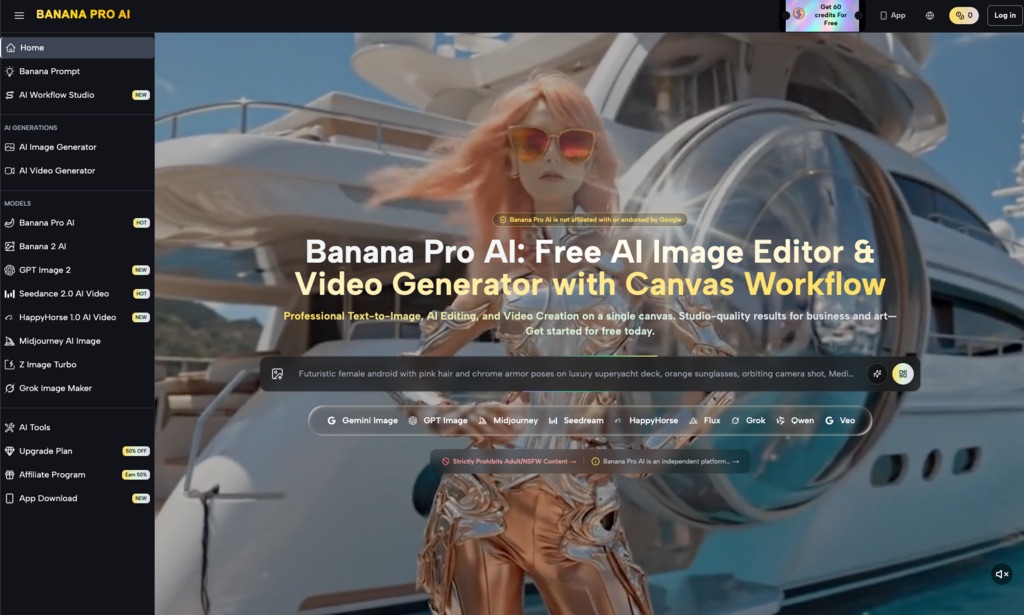
For an agency, one-off successes are useless. You need a repeatable pipeline that allows a junior designer to produce the same quality as a creative director. This is where the broader Banana AI ecosystem facilitates scale. The transition from the canvas environment to the motion generator needs to be seamless to prevent the “texture drift” that occurs when moving files between disparate software suites.
A common mistake in scaling AI video production is the “one-shot” mentality. Most teams expect to generate an image, click a button, and receive a perfect video. In reality, a professional workflow involves generating a batch of variations in Nano Banana, selecting the one with the most stable geometry, and then moving it into the editor for “hardening.”
Integrating Banana AI into a multi-step pipeline—generation, surgical editing, then animation—reduces the “production tax” of re-renders. It is significantly faster to spend five minutes fixing a source frame than it is to spend two hours re-running video generations in the hopes that the AI “gets it right” the next time. Managing client expectations is also easier when you can show them a high-fidelity static frame for approval before committing the compute time to the final motion render.
Nano Banana Pro: The Mechanics of Temporal Cohesion
Technically, Nano Banana Pro relies on high-contrast areas of the source frame to anchor its motion vectors. Think of these anchors as “pins” that the AI uses to stretch and move the image. If your composition is overly “busy”—filled with intricate, low-contrast patterns like fine lace or distant leaves—the AI has too many potential anchor points to choose from. This often results in “swarming,” where parts of the image move independently of the whole.
To achieve professional temporal cohesion, agencies should favor clean compositions with clear focal points. This doesn’t mean the scenes have to be simple, but they must be “legible” to the algorithm. For example, a portrait with a shallow depth of field (blurred background) will almost always result in a more stable video than a deep-focus shot where every leaf on a tree is sharp. In the former, the AI knows exactly what to animate and what to treat as a static backdrop.
Aspect ratio also plays a tactical role. While Banana Pro supports a variety of formats, generating video in extreme wide-angle or vertical formats increases the likelihood of “edge stretching.” For client delivery, we generally recommend staying within standard 16:9 or 9:16 bounds to ensure the model’s training data aligns with the intended output, reducing the chance of the AI losing track of objects near the frame’s perimeter.
The Limits of Restoration: What Motion Cannot Fix
Despite the power of Nano Banana Pro, it is vital to acknowledge the “terminal errors” that no amount of prompting or editing can currently solve. For example, AI still struggles significantly with complex physics, such as the way a liquid pours into a glass or the specific mechanical movement of human fingers playing a piano. If the source frame has a hand with six fingers, the motion engine will not “fix” it; it will simply animate a six-fingered hand, often with grotesque results.
Furthermore, there is an inherent uncertainty in how any model handles fluid dynamics or smoke. Even with a perfect source frame prepared in Nano Banana, the way a cloud of steam dissipates is currently a “best guess” by the AI. Agencies must budget time for iterative frame-fixing. If a motion sequence fails, the solution is rarely to change the motion prompt; the solution is usually to go back to the source frame, simplify the problematic area, and try again.
Banana AI provides the tools to bridge the gap between AI experimentation and professional delivery, but the responsibility of quality control still rests with the operator. We must move away from the idea of AI as a “magic box” and start seeing it as a sophisticated rendering engine that requires high-quality “fuel” in the form of pristine source assets.
Ultimately, the difference between a video that looks like a “glitchy AI experiment” and one that looks like a high-end production asset lies in the first frame. By prioritizing source fidelity and utilizing the editing tools available within the Nano Banana ecosystem, agencies can stop fighting the motion engine and start directing it. The goal is not just to make things move, but to make them move with the structural integrity that professional clients demand.