Professional video backgrounds used to require green screens, studio lighting, and expensive post-production. AI has changed everything. Today’s AI video background tools can remove, replace, and enhance backgrounds in real-time turning a bedroom recording into a professional studio production.
Whether you’re creating product videos, talking-head content, or marketing materials, here are the best AI tools for video background editing in 2026.
Why AI Video Background Tools Matter
- 72% of consumers prefer product videos with clean, professional backgrounds
- Remote workers and creators need professional-looking video without a studio
- E-commerce brands need consistent product video backgrounds at scale
- Marketing teams need quick scene changes for multi-platform content
The Best AI Video Background Tools
1. Topview AI — Best for Product Video Backgrounds
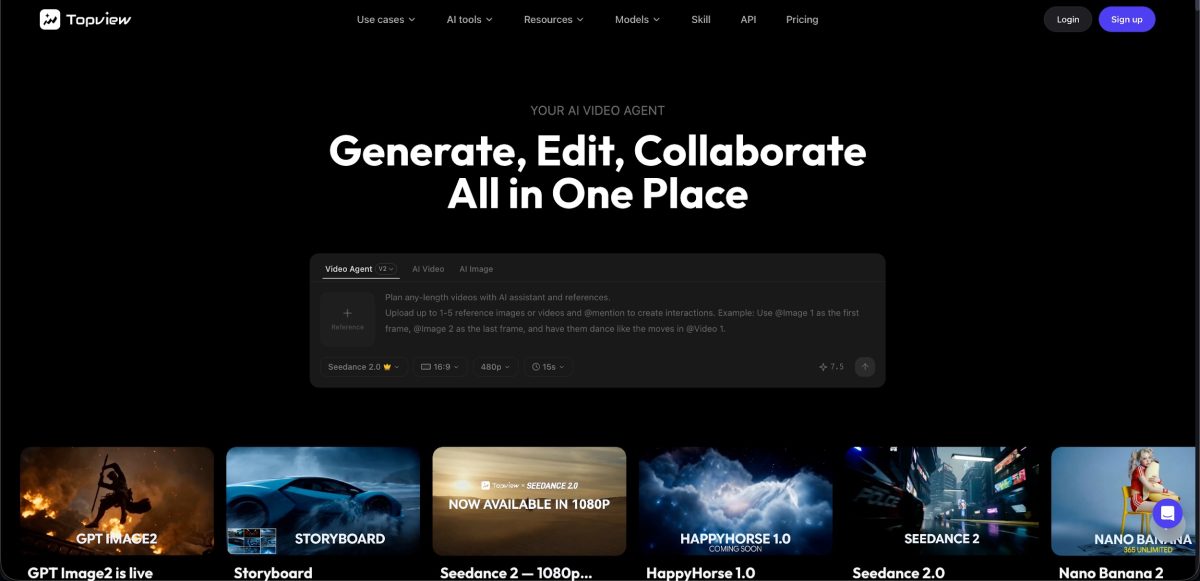
Topview excels at creating professional product videos with automatically generated backgrounds and scenes — no green screen needed.
Key features:
- AI scene generation — Place products in any environment automatically
- Virtual try-on backgrounds — Show products in lifestyle settings
- Character replacement — Swap presenters while keeping the background
- Image angle manipulation — Create multiple viewing angles for dynamic backgrounds
- Batch processing — Apply consistent backgrounds across product catalogs
Pricing: From $0.50 per video
2. Unscreen — Best for Simple Background Removal
Unscreen specializes in one thing — removing video backgrounds — and does it exceptionally well.
Key features:
- One-click background removal
- No green screen required
- Works with any video format
- Plugin for Premiere Pro and After Effects
- API available for automation
Pricing: Free for basic use; Pro from $9/month
3. Runway ML — Best for Creative Background Effects

Runway offers advanced AI-powered video editing with sophisticated background manipulation capabilities.
Key features:
- AI background removal and replacement
- Text-to-video background generation
- Color grading and scene matching
- Motion tracking for background elements
- Green screen alternative with AI masking
Pricing: From $12/month
4. VEED.io — Best for Online Video Editing
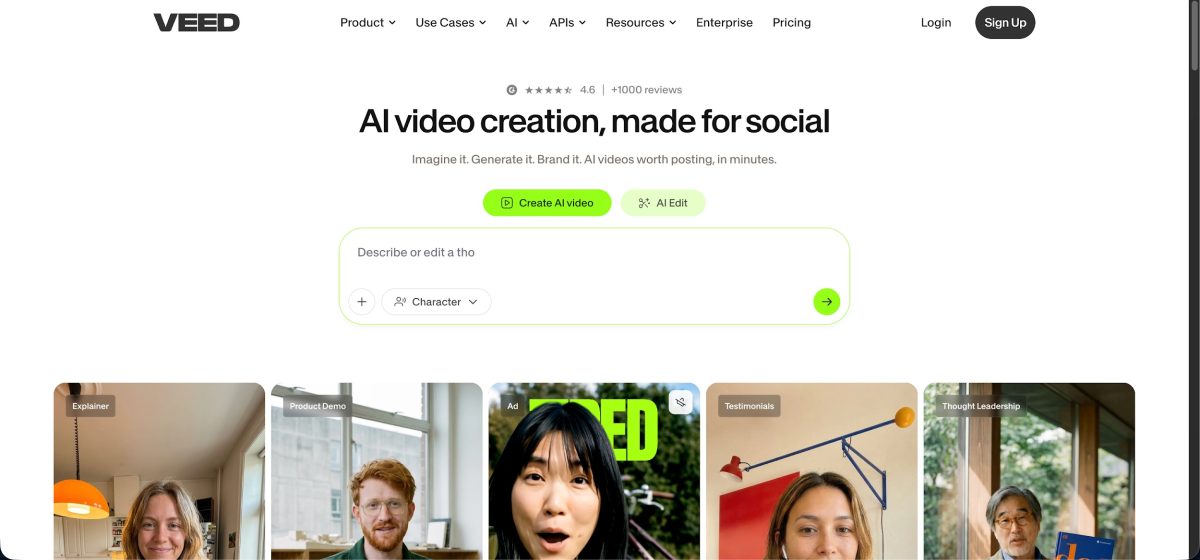
VEED combines background removal with a full online video editor.
Key features:
- One-click background removal
- Virtual background library
- Screen recording with background replacement
- Auto-subtitles and captions
- Brand kit integration
Pricing: Free tier; Pro from $18/month
5. Kapwing — Best for Collaborative Background Editing
Kapwing provides background tools within a team-friendly editing environment.
Key features:
- AI background removal
- Custom background replacement
- Real-time team collaboration
- Template library with scene presets
- Direct social media export
Pricing: Free tier; Pro from $16/month
Comparison Table
| Tool | Best For | Price | Auto-Remove BG | AI Scene Generation | Batch Processing | Product Focus |
| Topview AI | Product videos | From $0.50/video | ✅ | ✅ | ✅ | ✅ |
| Unscreen | Simple removal | Free/$9/mo | ✅ | ❌ | ❌ | ❌ |
| Runway ML | Creative effects | $12/mo | ✅ | ✅ | ❌ | ❌ |
| VEED.io | Full editing | Free/$18/mo | ✅ | ❌ | ❌ | ❌ |
| Kapwing | Collaboration | Free/$16/mo | ✅ | ❌ | ❌ | ❌ |
Use Cases for AI Video Backgrounds
E-Commerce Product Videos
- Place products in lifestyle settings without photography
- Create consistent backgrounds across entire catalogs
- A/B test different environments for conversion optimization
- Generate seasonal or promotional backgrounds automatically
Creator and Influencer Content
- Replace messy rooms with professional-looking sets
- Create themed backgrounds for different content series
- Use virtual sets for podcast and interview recordings
- Add depth-of-field effects for a cinematic look
Corporate and Training Videos
- Branded virtual backgrounds for all company videos
- Consistent look across remote team recordings
- Professional settings for client-facing content
- Quick scene changes for multi-topic training series
Social Media Marketing
- Platform-specific backgrounds (lifestyle for Instagram, bold for TikTok)
- Seasonal and promotional background updates
- Event-specific virtual sets
- Trending visual styles for higher engagement
Tips for Best Results
- ✅ Use good lighting on your subject — AI handles the background, not your face
- ✅ Wear solid colors that contrast with your subject for cleaner edges
- ✅ Choose backgrounds that match your content’s tone and audience
- ✅ Keep backgrounds simple — busy scenes distract from your message
- ✅ Test on mobile devices — most viewers watch on phones
- ❌ Don’t use extremely complex backgrounds that look fake
- ❌ Don’t ignore edge quality — check for hair/hand artifacts
- ❌ Don’t mix drastically different lighting between subject and background
Conclusion
AI background removal and scene editing tools have eliminated one of the biggest barriers to professional-looking video. Whether you’re creating product content at scale or recording talking-head videos from home, tools like Topview AI make it possible to achieve studio-quality results without a studio.
Try the AI Video Generator with Gemini Omni to see how AI-powered backgrounds can transform your video content.
FAQ
Q: Can AI background removal work without a green screen?
Absolutely. Modern AI tools work with any background — your living room, office, or outdoors. The AI segments you from the background automatically using machine learning.
Q: How is the edge quality compared to green screen?
AI has caught up significantly. For standard web and social media content, AI edges are virtually indistinguishable from green screen results. For 4K or large-screen displays, green screen may still have a slight edge.
Q: Can I use AI backgrounds for live video/streaming?
Some tools (like OBS with AI plugins) support real-time background replacement for streaming. For recorded content, most AI tools process in post-production for better quality.
Q: What file formats do AI background tools support?
Most support MP4, MOV, WebM, and AVI. Some also handle GIF and image sequences. Check your specific tool for format compatibility.