
SoundCloud is a goldmine for music lovers. It’s where you discover fresh indie artists, exclusive remixes, DJ sets, and podcasts you simply cannot find anywhere else. However, nothing is more frustrating than finding the perfect track only to realize you can’t take it with you.
While streaming is convenient, it locks you into the app. Even with a SoundCloud Go+ subscription, downloads are restricted to the app and vanish the moment you cancel your plan. You cannot move them to your MP3 player, car stereo, or editing software.
If you truly want to download music from SoundCloud to MP3 for good, you need a solution that bypasses these limitations. Enter ViWizard Streaming Audio Recorder—a professional tool that liberates your audio while keeping the original quality intact.
The Problem with Free SoundCloud to MP3 Converters
A quick Google search reveals hundreds of “free” online converters promising to turn SoundCloud links into MP3s. But these come with significant risks:
Malware and Pop-up Hell: Many free converter sites are breeding grounds for viruses, spyware, and intrusive ads that can infect your computer.
Abysmal Audio Quality: Most free tools output low-bitrate MP3s (128kbps). If you are an audiophile or a DJ, you will notice the tinny sound and compression artifacts immediately.
Legal & Privacy Risks: These sketchy websites often violate SoundCloud’s terms of service. Furthermore, you never know if they are logging your downloads or injecting malicious code into your files.
Why ViWizard is the Professional’s Choice
If you want a safe, efficient, and high-quality way to download music from SoundCloud to MP3, you need desktop software built for the job. ViWizard Streaming Audio Recorder is the industry standard for capturing streaming audio.
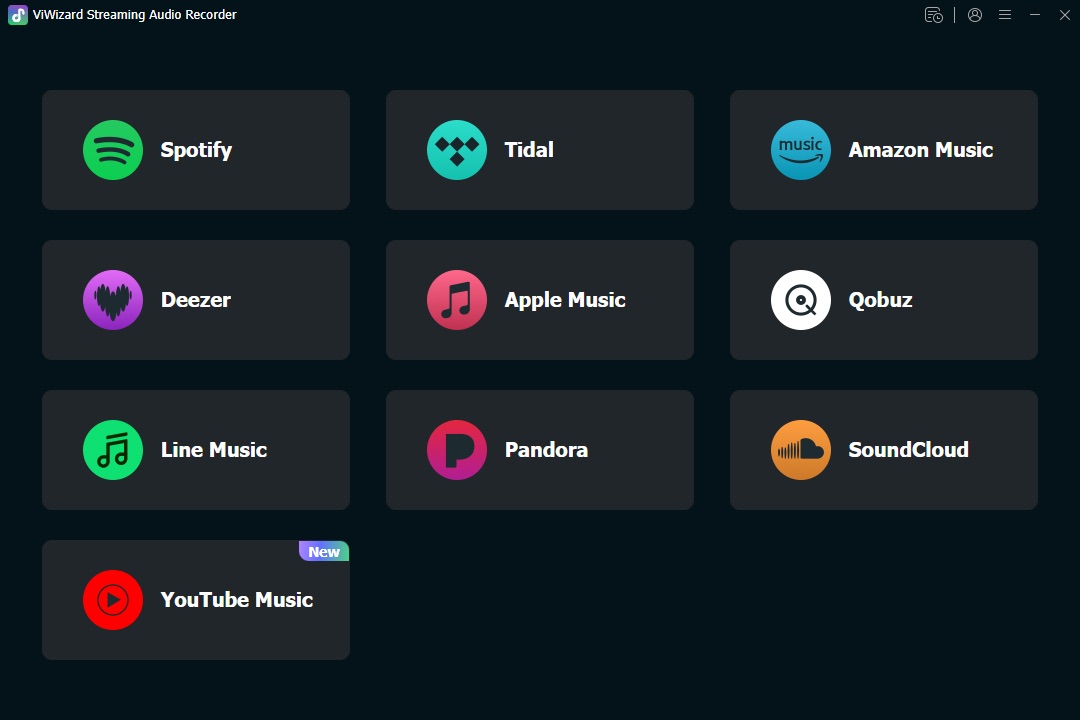
Unlike flimsy online tools, ViWizard operates entirely on your Windows or Mac computer. It acts as a “digital bridge,” recording the audio stream bit-by-bit to ensure you get a perfect 1:1 copy of the original.
- Uncompromised Audio Quality (Up to 320kbps)
ViWizard shatters the myth that recorded audio must be low quality. It allows you to save your SoundCloud tracks in MP3, WAV, FLAC, M4A, and AAC. You can customize the bitrate up to 320kbps and adjust the sample rate, ensuring your basslines stay punchy and your vocals remain crisp.
- Built-in Browser for Seamless Use
Forget complicated copy-paste workflows. ViWizard features a built-in web browser. You log into your SoundCloud account directly inside the app, browse your playlists, and click to add tracks to the recording list. It feels like a native extension of the platform.
- Intelligent ID3 Tag Management
One of the biggest headaches of downloading music manually is organizing it. ViWizard automatically saves the ID3 tags (metadata). This means your MP3 files will arrive with the correct song titles, artist names, album art, and track numbers already attached. No more “Track01.mp3” nightmares.
- Batch Downloading & High Speed
Need to save an entire 50-song playlist? ViWizard supports batch processing. It runs at up to 5x faster speeds than real-time recording, saving you hours of waiting.
- More Than Just SoundCloud
While this guide focuses on SoundCloud, ViWizard is an all-in-one solution. It works with Spotify, Apple Music, Amazon Music, Tidal, and YouTube Music. It is the last audio tool you will ever need.
Step-by-Step: How to Download SoundCloud to MP3 Using ViWizard
Ready to build your offline music library? Follow these simple steps to convert your SoundCloud stream into a permanent MP3 collection.
Step 1: Install and Launch
Download ViWizard from the official website and install it on your PC or Mac. Open the software.
Step 2: Set Output Preferences
Click the menu icon (top right) and go to Preferences. Here, set the “Output Format” to MP3. You can also adjust the bitrate, sample rate, and output folder here.
Step 3: Open SoundCloud
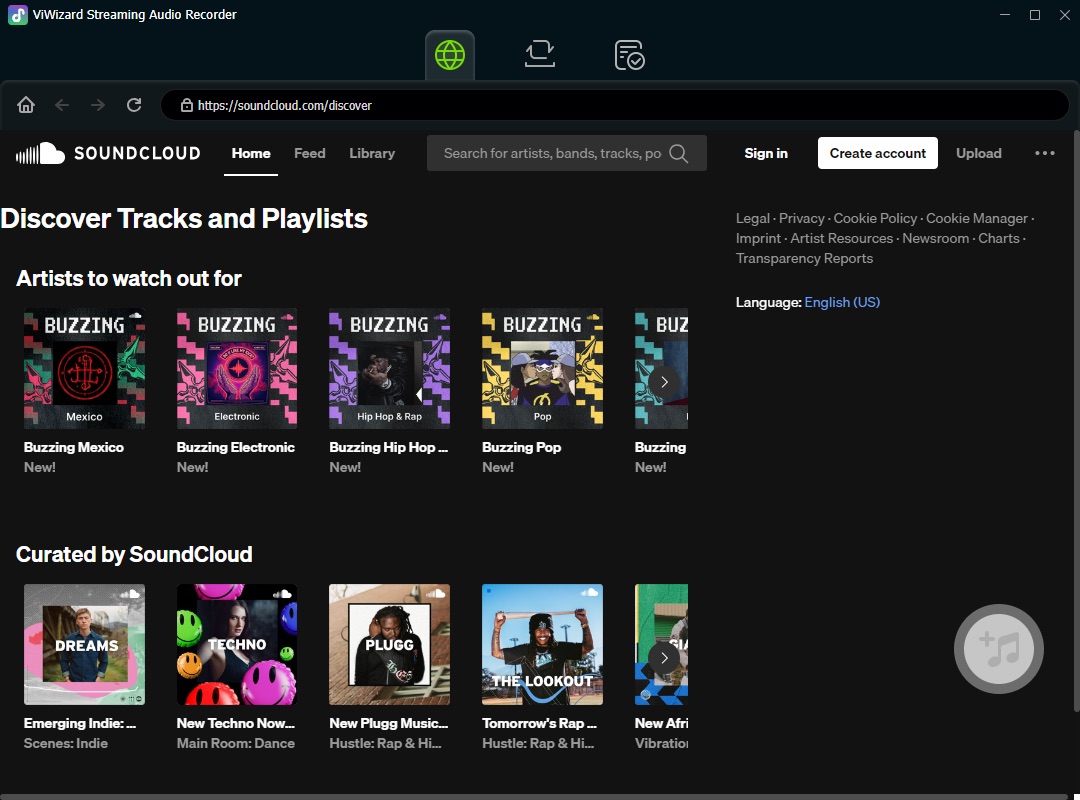
On the main interface, click on the SoundCloud icon. This will open the built-in web player. Log in to your SoundCloud account to access your “Liked” tracks and playlists.
Step 4: Add Music
Navigate to the song or playlist you want to download. Click the red “+” (Plus) button in the bottom right corner. This instantly adds the track to ViWizard’s conversion list.
Step 5: Start Conversion
Click the “Convert” button (or the “Recording” icon). ViWizard will begin processing the audio. Thanks to its high-speed engine, you won’t have to wait long.
Step 6: Enjoy Your MP3s
Once finished, click the “Converted” tab or the folder icon to locate your files. You can now transfer these high-quality MP3s to your phone, USB drive, or DJ software and listen anywhere, anytime, without the internet.
Final Verdict
Downloading music from SoundCloud to MP3 doesn’t have to be a security risk or a legal grey area of shady websites. With ViWizard Streaming Audio Recorder, you are investing in a tool that respects your time and your audio quality.
Whether you are a music collector, a fitness instructor needing a reliable playlist, or a producer looking to analyze tracks, ViWizard gives you the freedom to own your digital audio.